
Keep a Product Reference Pack When a Marketplace Link Changes
A sourcing link can identify a product today without preserving what you approved. Keep a small reference pack containing the exact supplier option, confirmed specifications, selling unit and supporting evidence. If the listing later changes, the pack helps you explain the original requirement without treating old information as proof of current availability.
This guide is for Shopify and WooCommerce sellers sourcing products already in their stores. It describes a manual record you control, not a backup feature or monitoring service that Lovegodrop automatically provides.
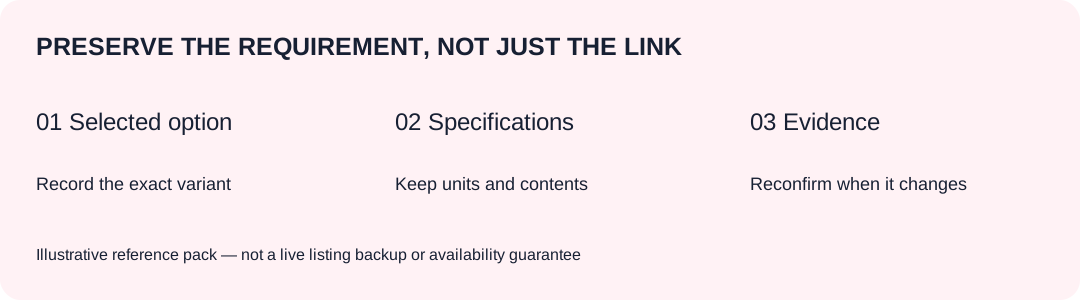
Preserve the requirement, not just the URL
A marketplace page may show several colors, quantities or package options. Saving its URL alone does not explain which option you selected. A cropped hero image may also omit dimensions, material details or the contents of a set.
Your reference pack should answer two questions: what did your store promise, and what source option did you confirm for that promise? Keep these separate. A store description is a requirement to verify; it is not evidence that every similar supplier product meets it.
Do not build a large archive before you know which information matters. Start with products that generate orders or need sourcing confirmation. Keep the record usable for someone who did not participate in the original conversation.
Save a short index with supporting evidence
| Record | Why it matters |
|---|---|
| Store product and variant reference | Connects the requirement to the item you actually sell |
| Supplier URL and selected option | Distinguishes a parent listing from a specific variant |
| Confirmed specifications | Preserves size, color, material and compatibility requirements |
| Selling unit and contents | Clarifies a piece, pair, set or bundle |
| Supporting evidence | Links relevant screenshots, charts or confirmation messages |
| Quote scope and reference | Identifies which costs and order conditions were agreed |
| Review date and unresolved questions | Prevents an old record being mistaken for a current check |
Use readable filenames or your own internal references. Preserve the original measurement units and the explanation of how a measurement was taken. Do not turn an uncertain material, size or bundle component into a confirmed fact merely because it appears in your notes.
Keep customer addresses, payment information and private account credentials out of public folders. Use only the access and information your sourcing team needs. This is an operational precaution, not a substitute for your organization's data-handling rules.
Example: the link opens, but the option is different
Illustrative scenario, not a customer case: you previously confirmed a pouch sold as one piece. Later, the same listing displays a two-piece set as its default option. The page still loads, but its default selection does not describe your old purchase.
Use the reference pack to state the required dimensions, color and unit clearly. Then ask for confirmation of the current option, price and availability. Do not assume that the same URL means the same product configuration, or that an old screenshot authorizes a new purchase.
If a replacement source is proposed, compare its specifications against the requirement rather than relying on a similar photograph. Changes to price, specifications or material need your confirmation before purchasing. Review the current costs and sourcing terms for this boundary.
Copy this reference-pack index
PRODUCT REFERENCE PACK
Store product / variant reference:
Supplier URL / exact selected option:
Required specifications and original units:
Selling unit and included components:
Supporting files / confirmation references:
Confirmed quote reference and scope:
What is still unknown:
Recorded by / review date:
What changed since the previous review:
Confirmation needed before the next purchase:
The pack is not a guarantee that a source will remain available. Lovegodrop does not automatically update store inventory when supplier availability changes. Keep your store availability decisions under review rather than treating this document as a live stock feed.
If an item has already reached the warehouse, distinguish supplier listing evidence from receiving evidence. Ordinary QC photos show received goods from several angles; they do not automatically establish every technical property. Any additional verification should be requested and confirmed separately.
For the actual connection and order process, follow the merchant guide. Start by creating one complete reference pack for a product you already sell. At the next purchase, check what needs reconfirmation rather than silently reusing an outdated assumption.