Lovegodrop for Shopify
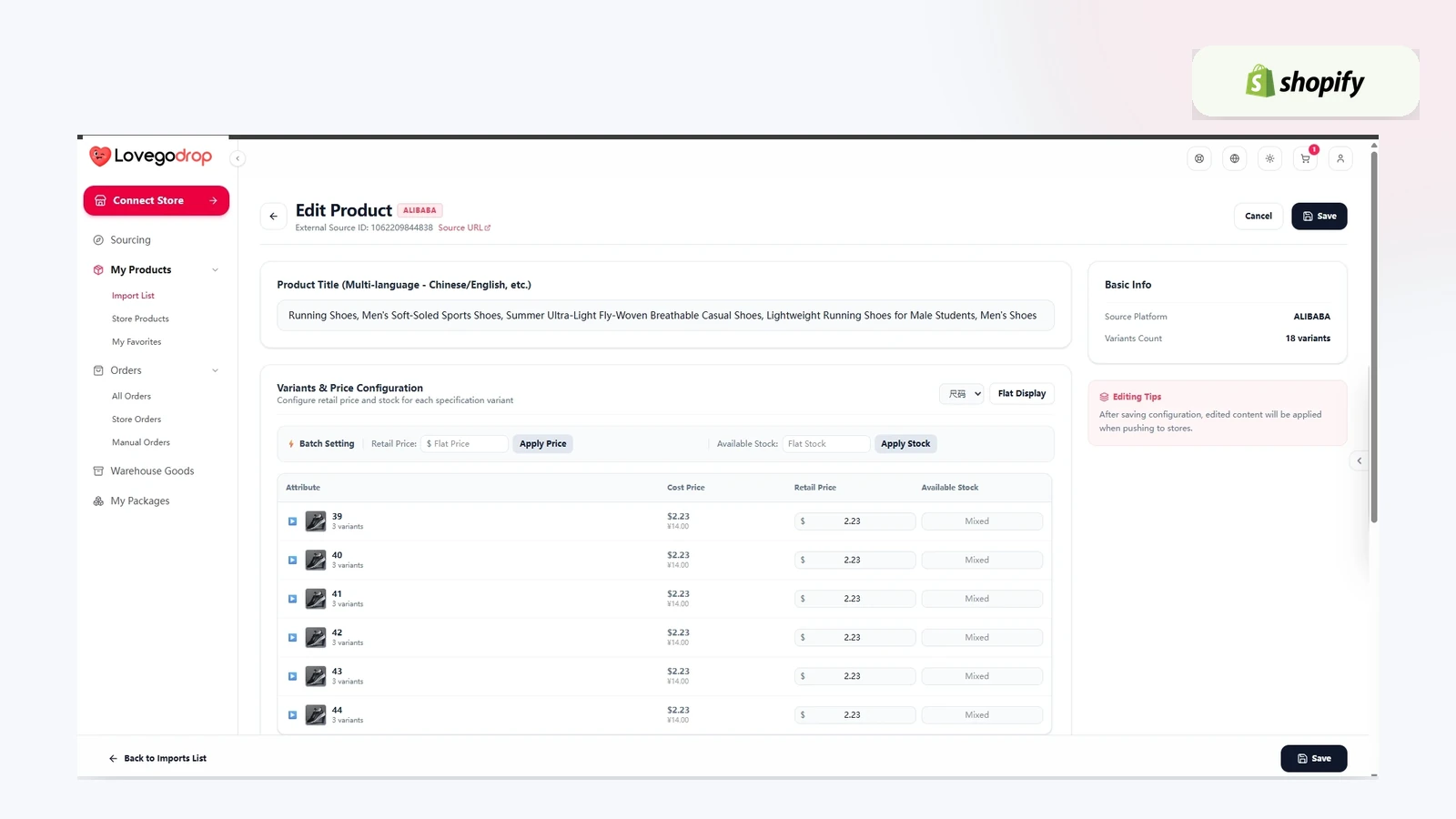
Connect your Shopify store to a China sourcing and fulfillment workspace. Import selected products through Lovegodrop or synchronize eligible orders for products that already exist in your store.
What the Shopify integration supports
Import selected product information and variants to Shopify.
Write the available sourcing cost to the applicable product or variant Cost field during import.
Synchronize eligible customer orders to Lovegodrop.
Use Bind Source or assisted Find Source for existing store-order items.
Return available fulfillment and tracking information after shipment.
Workflow A: products imported through Lovegodrop
Connect Shopify.
Search supported products and add them to the import list.
Edit product information, variants and retail price.
Push the selected product to Shopify.
Synchronize eligible customer orders.
Approve and pay product purchasing.
Review warehouse receiving information and three free QC photos.
Select and pay for an available international shipping route.
Receive available tracking information after dispatch.
Workflow B: products already listed in Shopify
Connect Shopify and synchronize store orders.
Open the order in Lovegodrop.
Use Bind Source to match a supported product, or use Find Source when assisted sourcing is required.
Review the quote and follow the payment structure shown for the selected sourcing method.
Lovegodrop coordinates purchasing, warehouse processing and fulfillment.
Pricing and merchant approval
The app can be installed without a monthly Lovegodrop subscription. Product purchasing, international shipping, payment processing and optional services are charged when applicable. Lovegodrop does not automatically charge merchants; each applicable amount is shown for review before payment.
Important synchronization information
Available functions depend on the current Shopify integration, store authorization, product data and order status. Merchants should verify product information, prices, inventory settings and fulfillment status before publishing or shipping.
Create a Free Account | Contact Lovegodrop
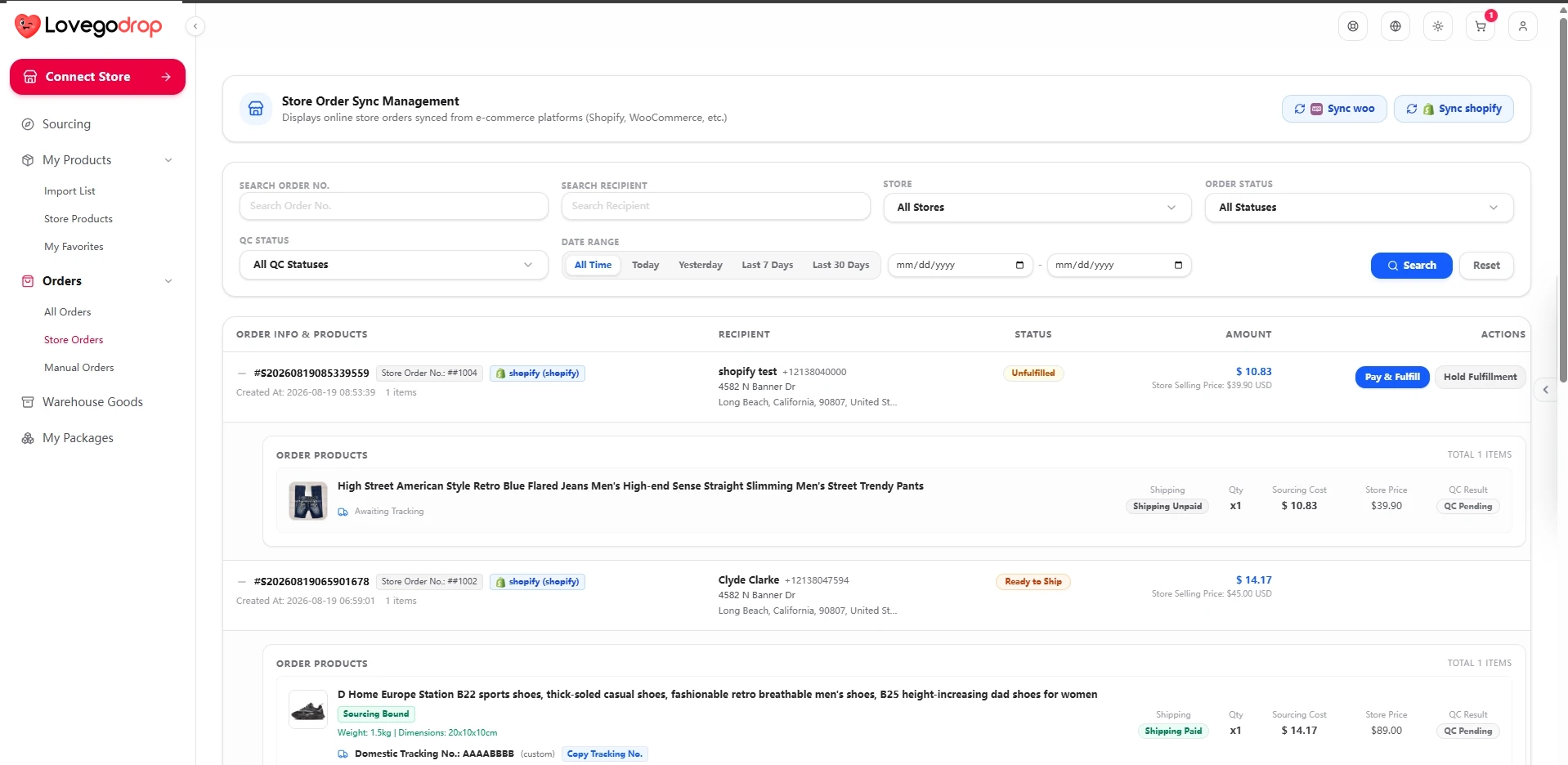
Eligible existing store orders can be synchronized for sourcing and fulfillment.
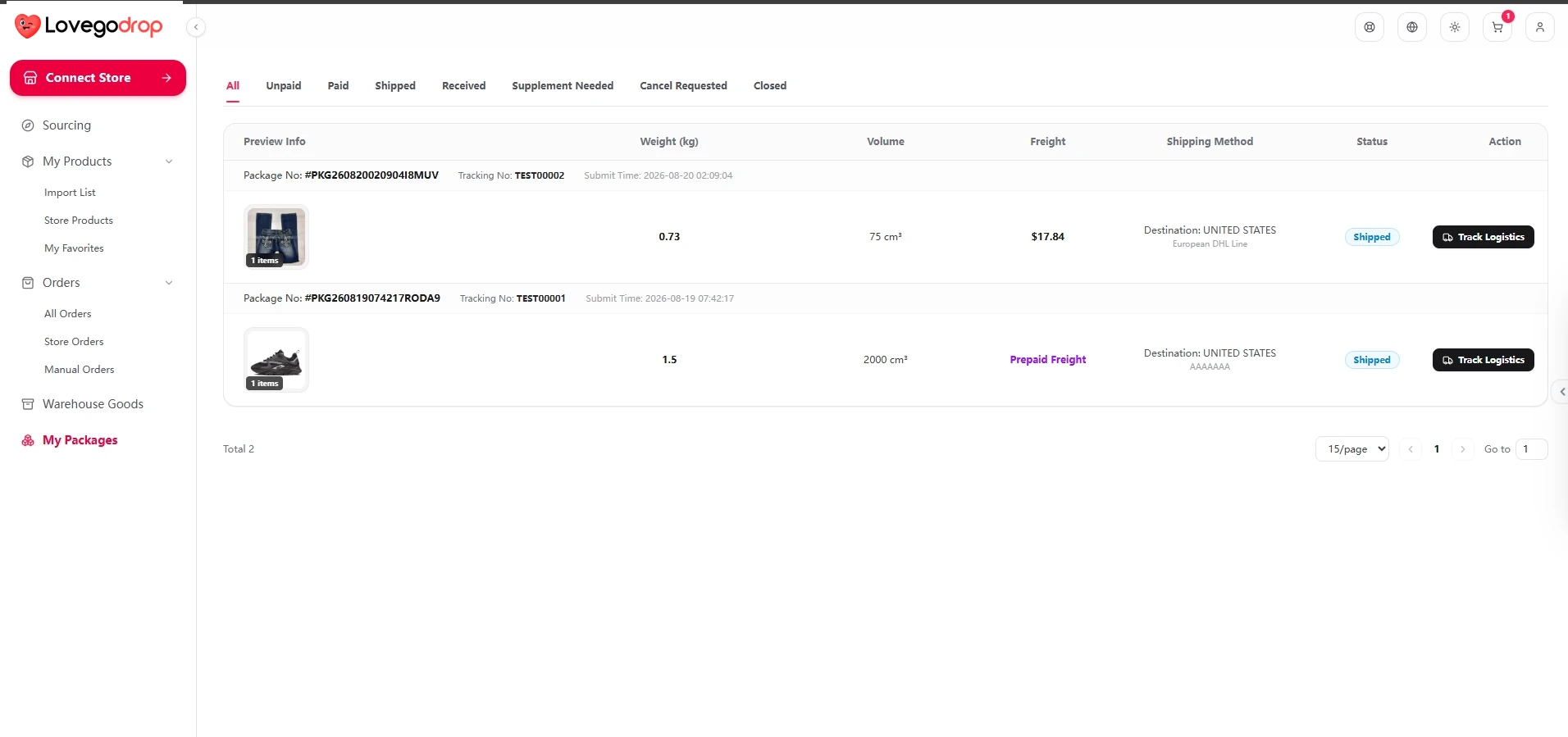
Available tracking can be returned to the connected store after dispatch.