Existing Store Order Fulfillment
Synchronize Shopify or WooCommerce orders for products already sold in your store, then use Bind Source or assisted Find Source for fulfillment.
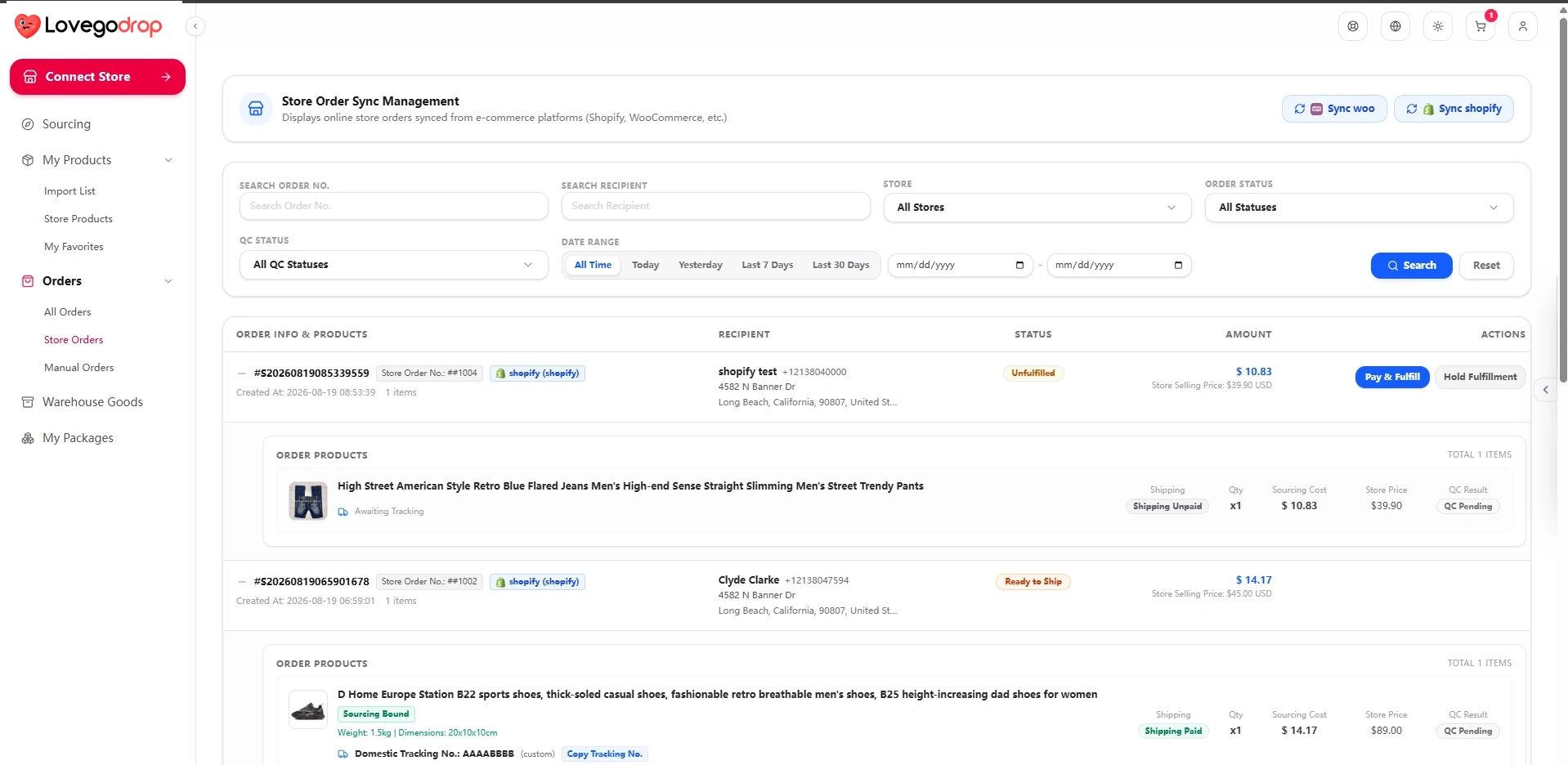
You do not have to rebuild your catalog to use Lovegodrop. Eligible Shopify and WooCommerce orders can be synchronized for products that were already listed or sold in your store before you started using Lovegodrop.
Start by connecting and synchronizing your store
Connect Shopify or WooCommerce to Lovegodrop.
Open Orders → Store Orders.
Run the appropriate store-order synchronization.
Locate the customer order and confirm the product variant and delivery information.
Required before sourcing: Bind Source and Find Source are performed on a synchronized store-order item. If the order is not visible, verify the store connection and run order synchronization again.
Two sourcing options for the same fulfillment workflow
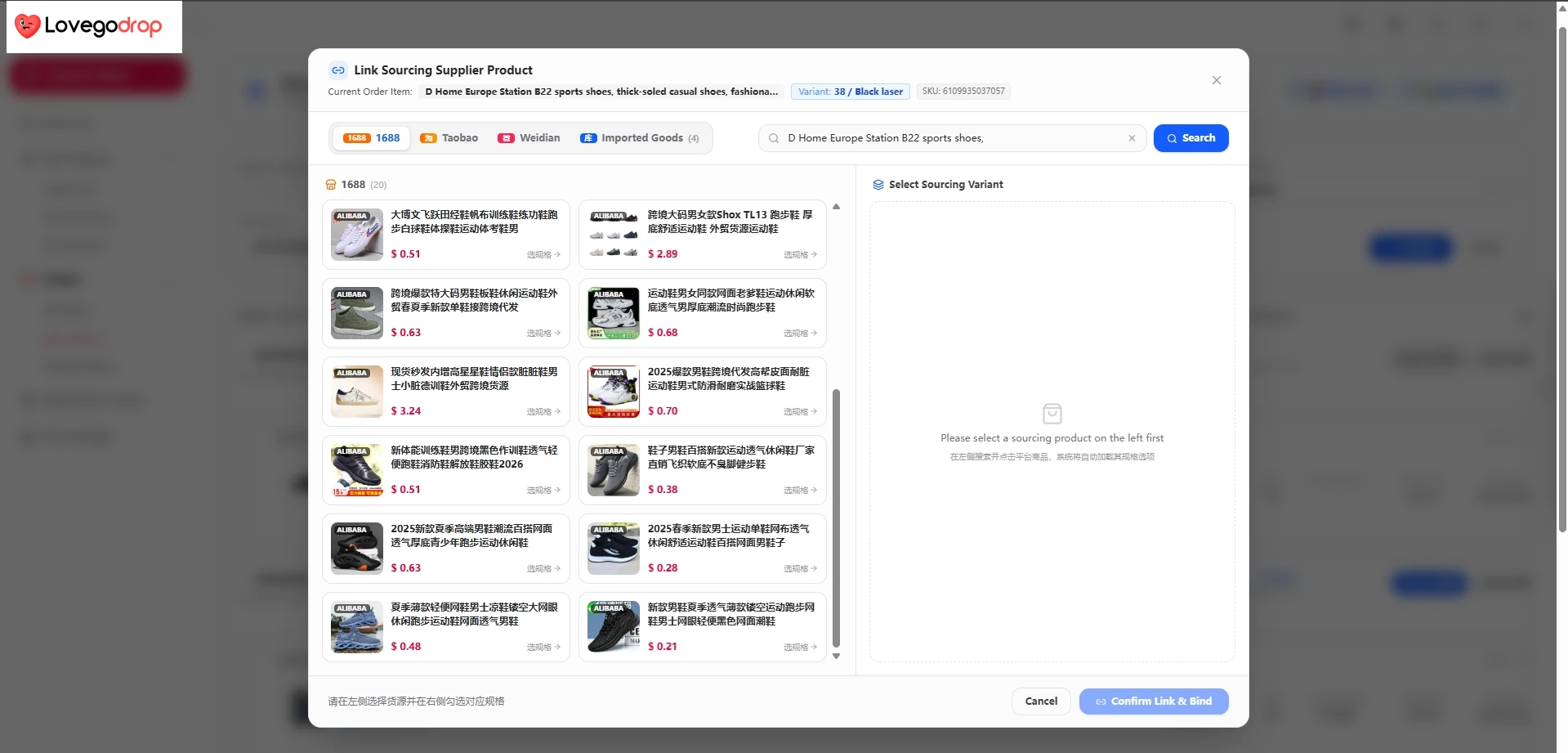
Bind Source lets the merchant search supported sources, select the matching product and variant, and confirm the source binding.
Option 1: Bind Source
Use Bind Source when you want to locate and select the sourcing product yourself.
Click Bind Source on the synchronized order item.
Search supported products by keyword or use the available platform and product-link search options.
Select the product and matching variant.
Confirm the source binding.
Review and pay the product purchasing amount and any disclosed payment-processing fee.
After warehouse receiving and QC, select an available shipping route and pay the international shipping amount separately.
Bind Source pricing: the product sourcing amount does not include international shipping unless the interface explicitly states otherwise. This workflow normally has two merchant-approved payment stages: product purchasing first, then international shipping after warehouse receiving and QC.
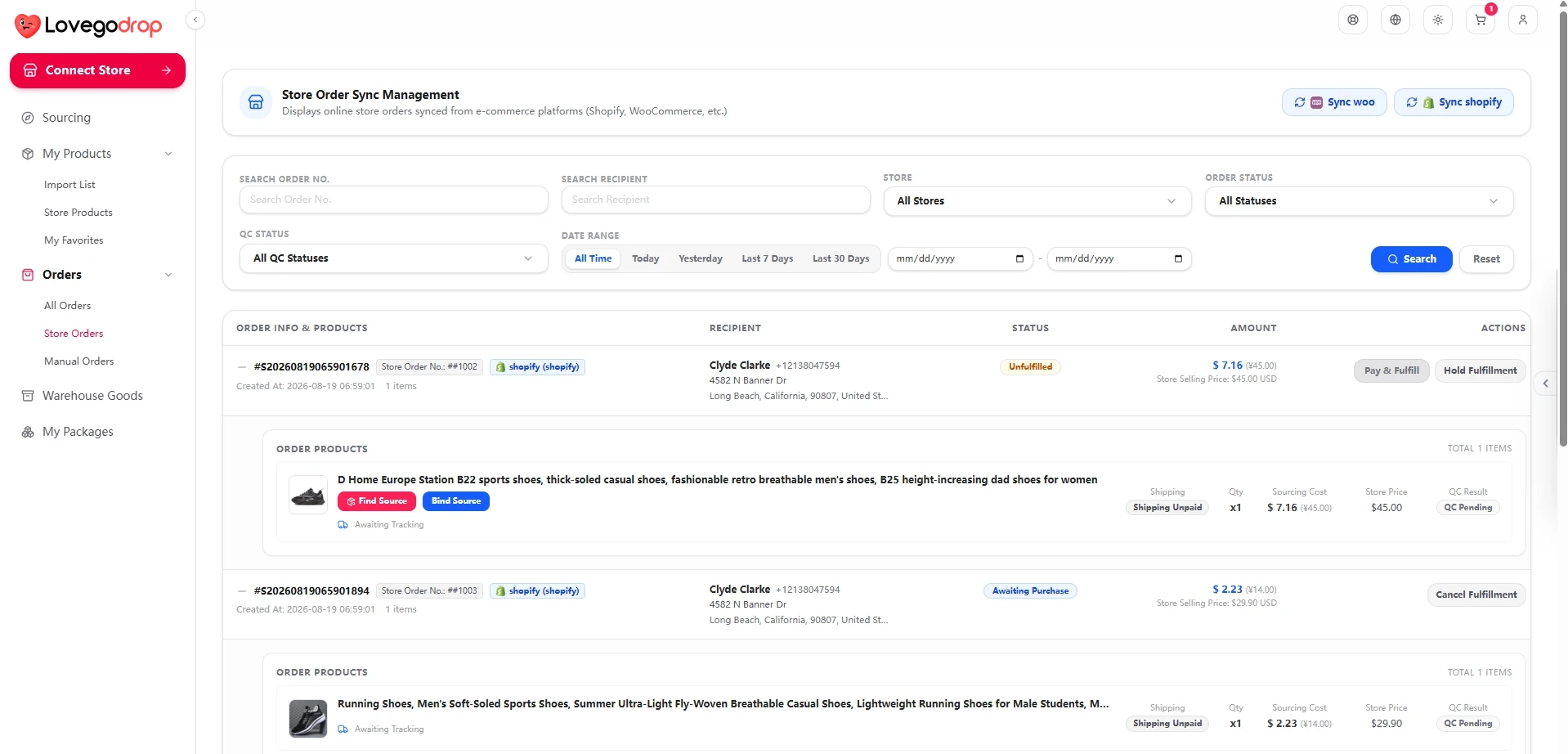
If a suitable source cannot be bound, request assisted sourcing and review the combined product-and-shipping quote before payment.
Option 2: Assisted Find Source
Use Find Source when a suitable product cannot be located through Bind Source or when you want Lovegodrop to assist with sourcing.
Click Find Source on the synchronized order item.
Submit the available product and order information.
Review the sourcing-and-shipping quote provided by Lovegodrop.
Accept the quote and complete payment.
Lovegodrop purchases, receives, checks and dispatches the order according to the accepted quote.
Assisted Find Source pricing: the accepted quote for this existing-order route includes the product purchasing cost and the quoted international shipping amount. Any applicable payment-processing fee is disclosed separately before checkout. After the combined quote has been paid, the merchant does not make a second shipping payment for the same quoted shipment.
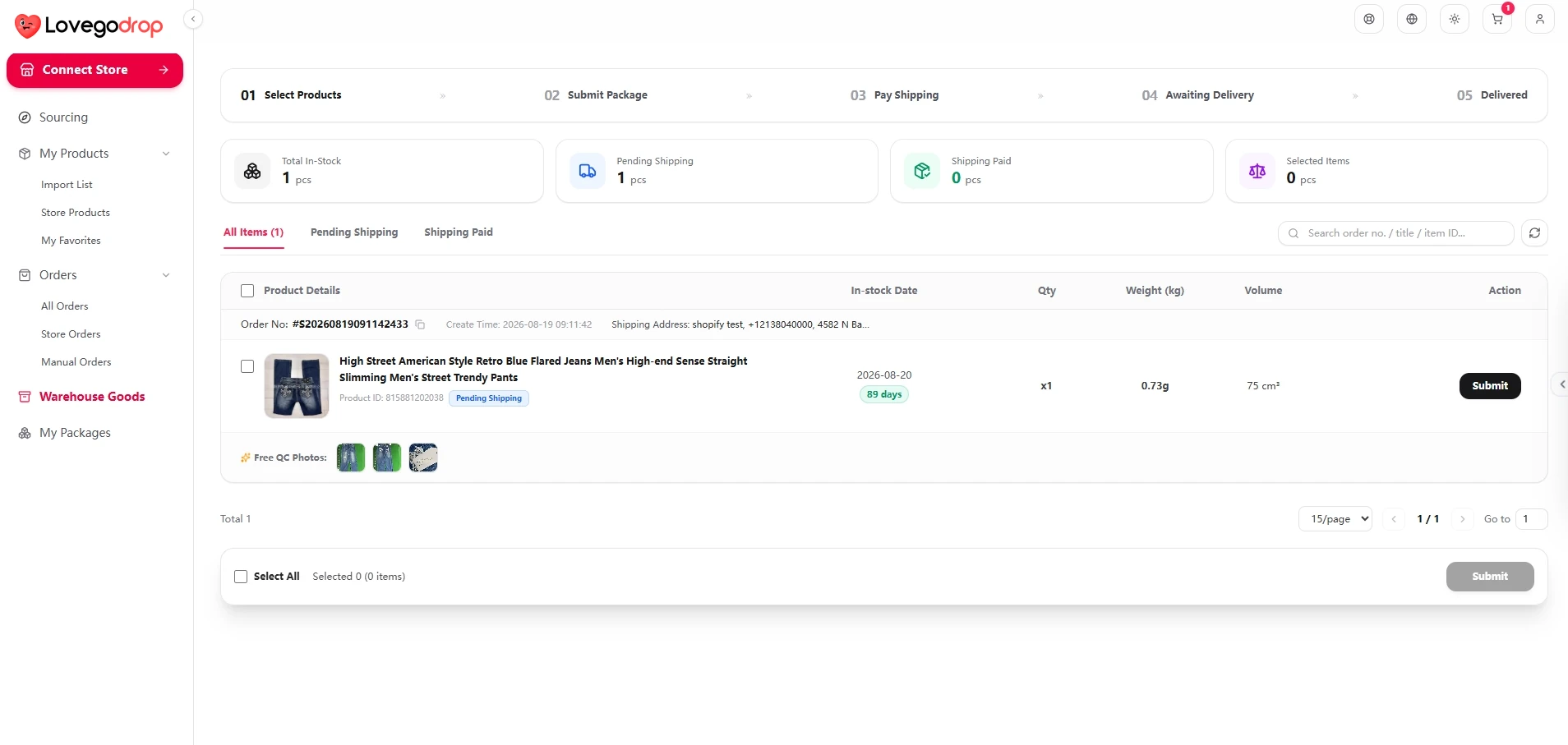
After purchasing and warehouse receiving, review available quantity, weight, dimensions and three QC photos before the next fulfillment action.
Warehouse receiving and QC
After successful payment, Lovegodrop purchases the product. When it arrives at the warehouse, available quantity, weight and dimensions are recorded, and QC staff upload three free QC photos to the Lovegodrop order or warehouse page. Review this information before the next fulfillment action.
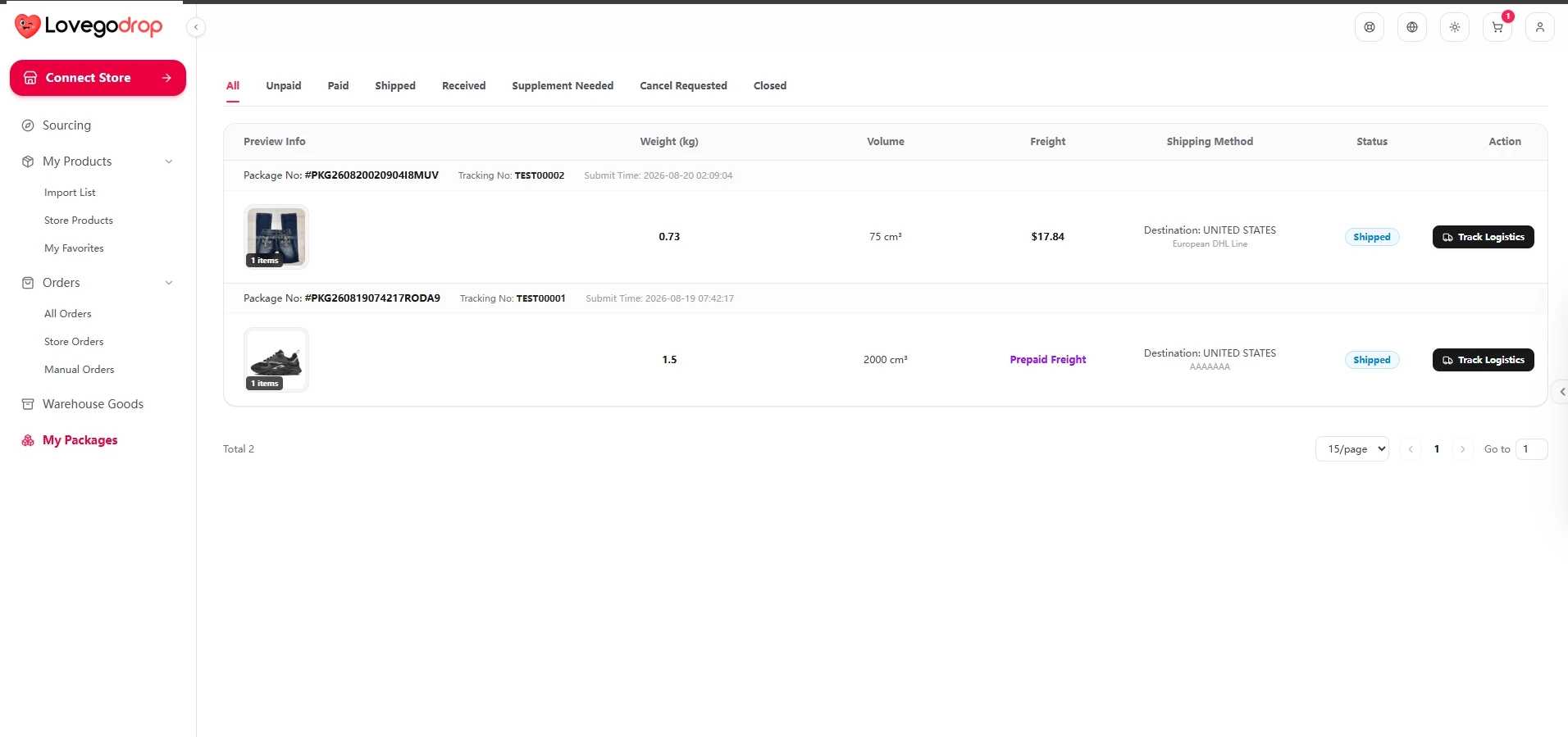
Available carrier and tracking information is shown after dispatch and can be returned to the connected store where supported.
Shipment and tracking
After the applicable fulfillment and shipping requirements have been satisfied, Lovegodrop dispatches the parcel. Available carrier and tracking information is shown in Lovegodrop and can be returned to the connected store where supported.
Merchant payment control
Lovegodrop does not automatically charge merchants.
The merchant must approve the applicable quote before payment.
Any payment-processing fee is displayed before payment.
Quotation and payment structure depend on whether Bind Source or assisted Find Source is selected.