Lovegodrop for WooCommerce
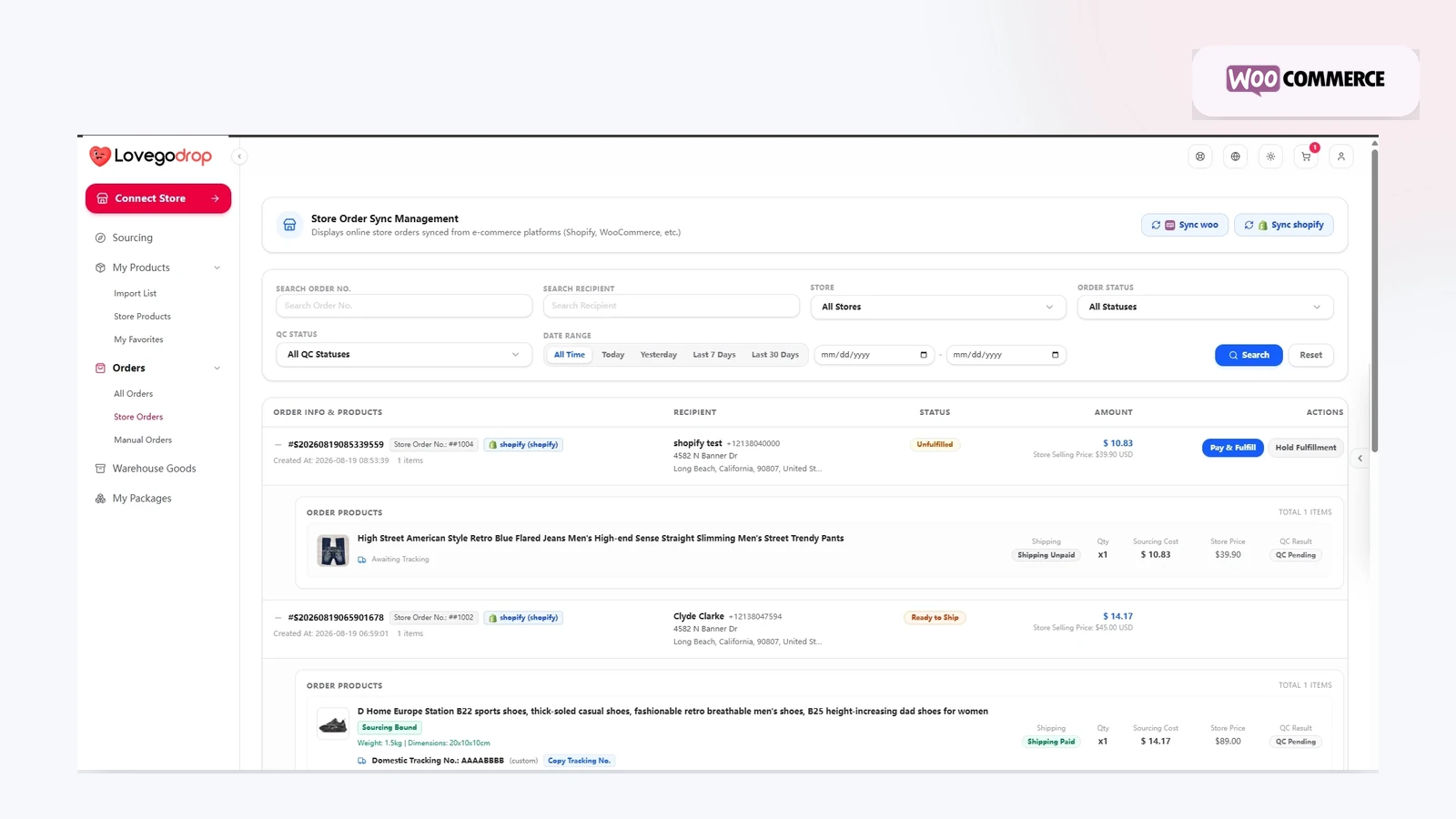
Connect WooCommerce to Lovegodrop for product sourcing and order fulfillment. Import selected supported products or synchronize eligible orders for products that were already listed in your WooCommerce store.
Before connecting
Use a supported and maintained WordPress and WooCommerce environment.
Install the current Lovegodrop WooCommerce plugin using the official installation source provided by Lovegodrop.
Use HTTPS and ensure that required REST API access is available.
Back up the store before installing or updating plugins.
What the integration supports
Import selected product information and variants.
Synchronize eligible WooCommerce orders.
Use Bind Source or assisted Find Source for existing store-order items.
Coordinate purchasing, QC, warehousing and fulfillment.
Return available tracking information after dispatch where supported.
Imported-product workflow
Connect WooCommerce.
Search supported products and prepare them in the import list.
Edit product and pricing information.
Import the product to WooCommerce.
Synchronize eligible customer orders.
Approve product purchasing.
Review warehouse receiving and three free QC photos.
Select and pay for an available international shipping route.
Existing-product workflow
Synchronize the eligible WooCommerce order, then use Bind Source to match the product yourself or Find Source to request sourcing assistance. Quote and payment structure depend on the selected sourcing method.
Troubleshooting connection problems
Confirm the plugin is active and current.
Confirm the store URL uses HTTPS.
Check WooCommerce REST API access and permalink configuration.
Check security, caching and firewall plugins that may block API requests.
Reconnect the store and run synchronization again after correcting the issue.
Available functions can vary by plugin version, WordPress configuration, product data and order status.
Create a Free Account | Contact Lovegodrop
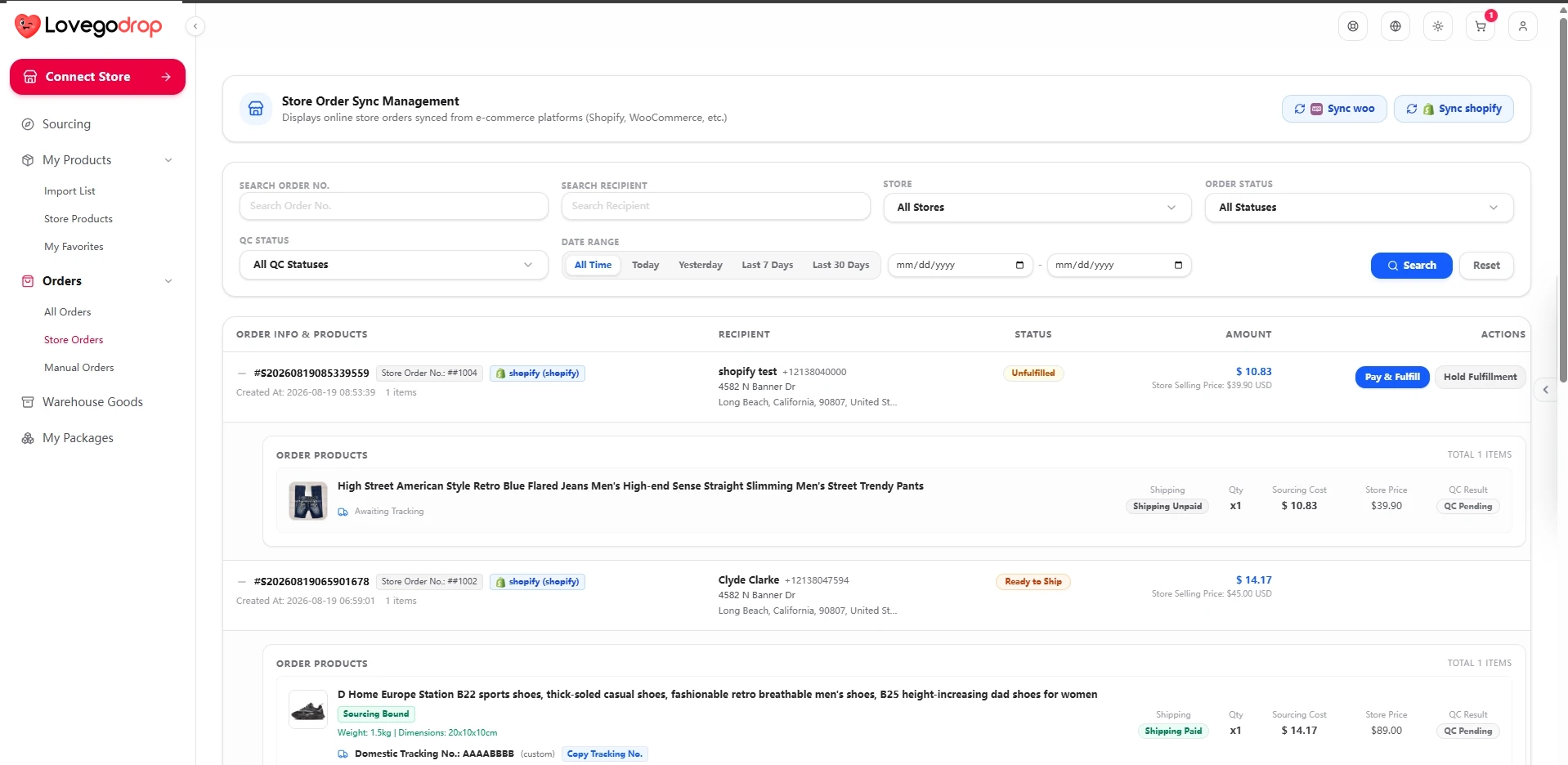
Eligible existing store orders can be synchronized for sourcing and fulfillment.
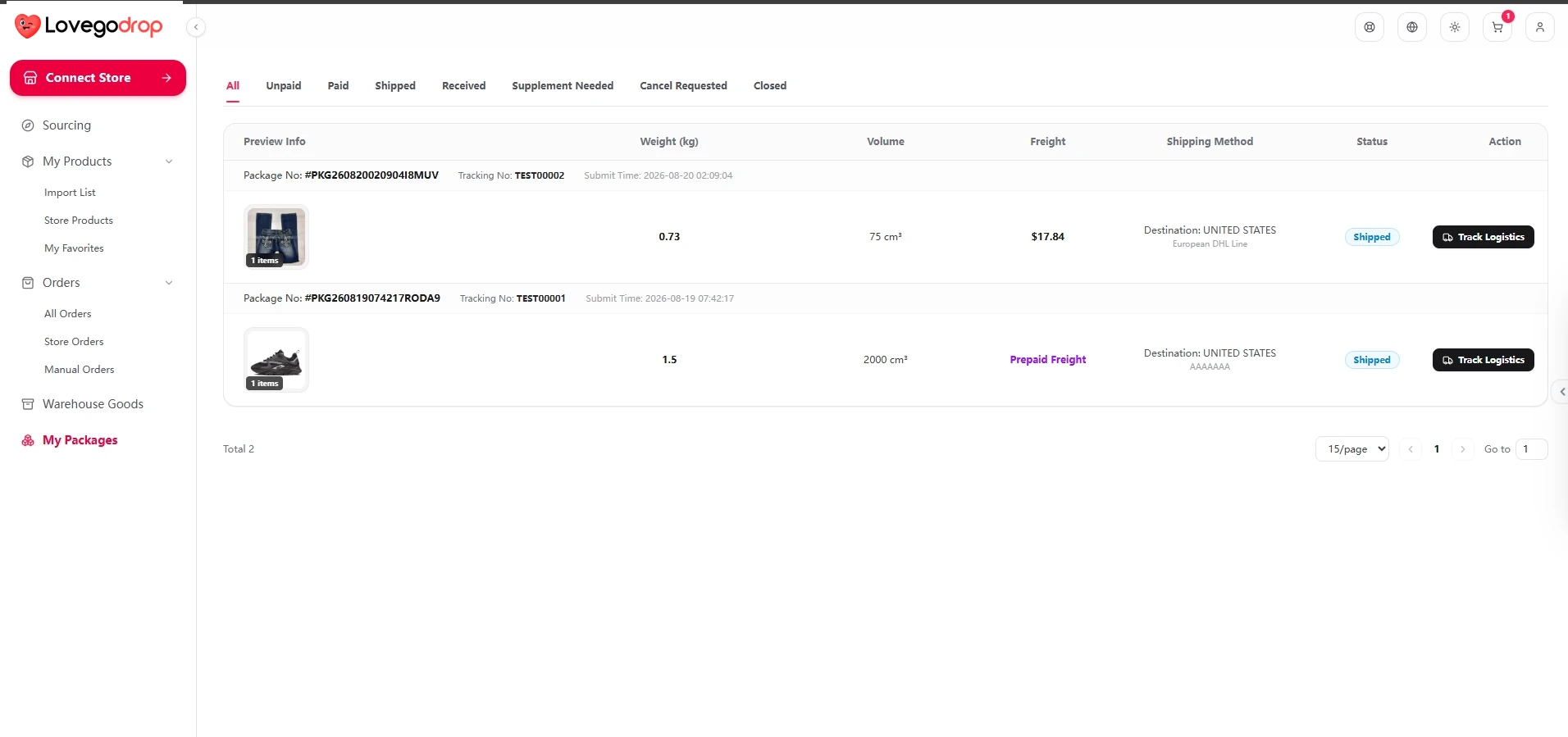
Available tracking can be returned to the connected store after dispatch.